Your Google Ads Account Is Leaking 25 Cents on Every Dollar

You keep asking whether you should raise your Google Ads budget. Wrong question. A self-managed small business account hands Google a quarter or more of its spend on clicks that were never going to turn into a customer. The cause is not your bid or your luck. It is the settings Google switched on for you and a report you have never opened. This article shows you the five leaks, names the source for each, and walks you through closing them in one afternoon for free.
Before you add a single dollar to your budget, recover the 25 to 30 cents on every dollar you are already wasting. That money is in your account right now. Google's defaults are tuned for Google's revenue, not your cost per lead, and once you see how, you cannot unsee it.
The Waste Was Documented Before Smart Bidding Even Existed
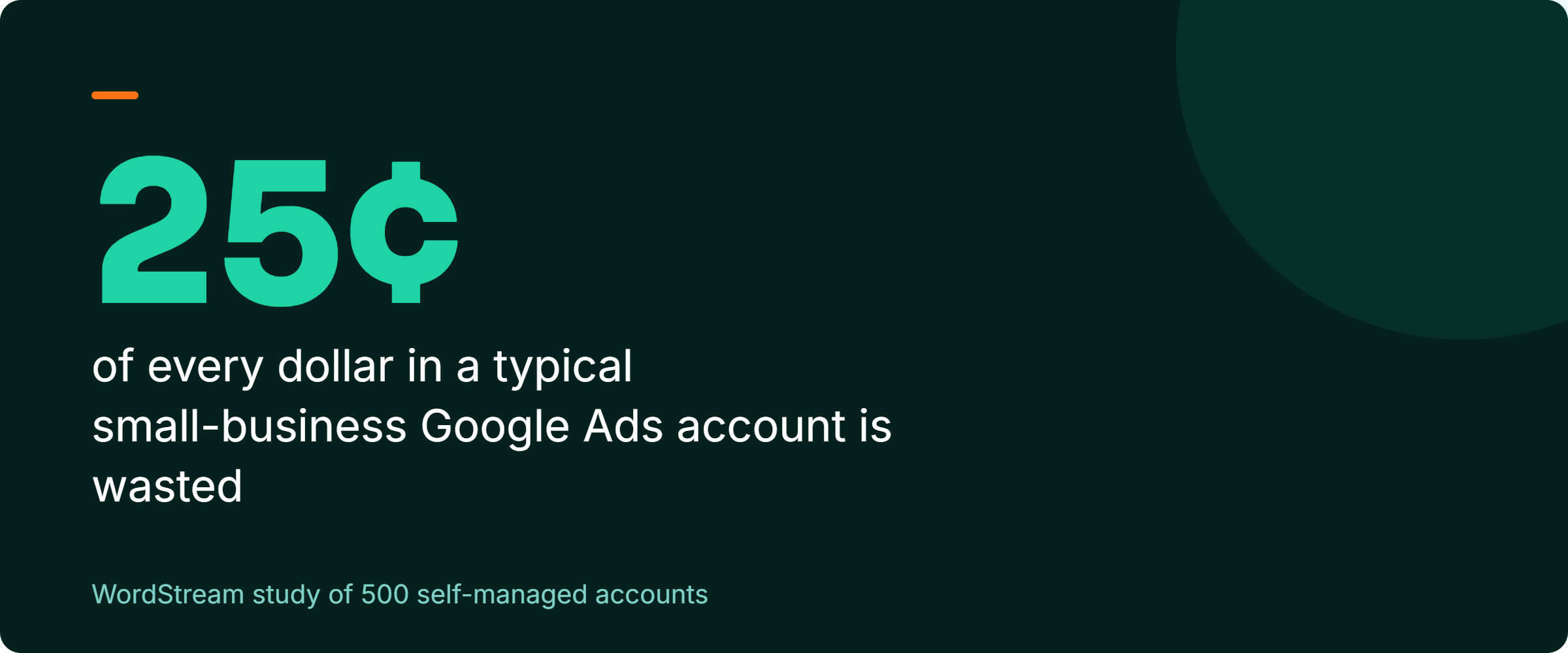
Back in October 2013, WordStream studied 500 self-managed small business AdWords accounts and found they wasted roughly 25 percent of their paid search budget. Search Engine Land reported it on October 9 that year, with founder Larry Kim walking through the numbers. The typical small advertiser was spending about $1,200 a month then. A quarter of that is $300 a month, $3,600 a year, gone to clicks that never became business.
That study is old, and I am dating it on purpose, because thirteen years matters. What does not date is the mechanism. The same WordStream work found that fewer than half of those accounts had conversion tracking installed, and about 95 percent of lead-generation accounts had no call extensions. They were paying for clicks and could not even tell which ones became business. The plumbing was broken in 2013, and Google has spent the years since adding automation on top of that broken plumbing.
Practitioners who audit these accounts daily put current waste in a similar range. Clicks Geek, a Google Premier Partner agency, estimates that somewhere between 20 and 40 percent of local business Google Ads spend goes to clicks that never convert. Digitac Media reports that auditing the search terms report and adding negative keywords can cut wasted spend by 20 to 30 percent almost immediately. Those are practitioner estimates, not peer-reviewed studies, and I am labeling them that way on purpose. Treat them as the read of people who do this work, not as gospel. The direction is consistent across every source: a meaningful slice of your money is leaking, and the leak is fixable without spending more.
Google Changed Your Account While You Weren't Looking
Most owners assume the account does what they told it to do. It does not. Google sets defaults and ongoing "recommendations" that push spend in directions that suit Google, and three of them deserve your attention this week.
The first is broad match. A broad match keyword tells Google to show your ad for anything it considers related. You bid on "men's leather shoes" and pay for "how to clean shoes." According to Optmyzr's February 2026 analysis of 30,000 Google Ads accounts, broad match has become the dominant match type by budget. Exact match has lost nearly 10 percentage points of spend share since 2022. Exact match still leads on efficiency in that data. An earlier Optmyzr study of roughly 2,600 accounts found click-through rates were higher with exact match than broad in 85.6 percent of accounts. Broad match without strong conversion signals and a maintained negative keyword list, Optmyzr's analysis concludes, can spend a lot chasing traffic that was never going to convert.
The second is auto-apply. Google's Auto-Applied Recommendations, especially the "Maximum impact" setting, let Google change your account without asking, switching keywords to broad match and raising budgets on its own. Search Engine Land has reported cases where auto-applied changes caused keywords to overspend by 50 percent of their target budgets, catching advertisers and agencies off guard. Its 2025 guidance is blunt about why this happens: recommendations optimize toward Google gathering more data, which can increase your costs. Review before you apply.
The third is the network and location defaults. Your Search campaign likely runs on Search Partners, third-party sites and apps you never chose, with lower intent and worse conversion. Google stopped auto-opting new Search campaigns into the Display Network in June 2025, per Search Engine Land, but existing campaigns may still have Display switched on, and Search Partners still defaults to on. Then there is location targeting. The default "Presence or interest" setting shows your ad to people merely interested in your area, which can mean someone in another country reading about your city. For a local service business, that is dead money.
None of this is a conspiracy. It is incentive. Google's automation is built to spend your budget efficiently for Google's definition of efficient, which is reach and data, not your cost per booked job. I made a longer version of this argument about pacing automation in why Google's "smarter" bidding can quietly outrun your budget, and the same logic applies to every default in the box.
The Search Terms Report Is the Only Honest Document in Your Account
There is one report Google does not editorialize. The search terms report shows the actual words people typed before they clicked, not the keywords you bid on. The gap between those two lists is where your money goes.
Navah Hopkins, Brand Evangelist at Optmyzr, put the foundation plainly in an October 2024 interview with Symphonic Digital:
"if you don't know what success and failure looks like, you're never going to be able to set up a meaningful, scalable campaign."
Navah Hopkins, Optmyzr, Symphonic Digital interview, October 2024
She was talking about conversion tracking, and the point cuts deep. If your tracking is broken or missing, Smart Bidding optimizes toward the wrong thing and you cannot tell a wasted click from a won one. Hopkins also recommends using broad match in a deliberately limited way, for data acquisition only. Isolate one or two broad keywords in their own ad group whose only job is to learn how customers actually search, then add everything irrelevant as a negative. And do not hand Smart Bidding the wheel if you do not trust your conversion data.
She also warns that negative keywords do not fully account for close variants. Add "cheap" as a negative and Google may still trigger your ad on "affordable luxury hotel." You cannot block every leak with a single word. Read the report instead of guessing at the negatives.
Search Engine Land's 2025 writeup on the report says it directly:
"An untouched search term report can contain dozens of irrelevant queries burning through spend, especially when broad match keywords or Performance Max campaigns are in play."
Search Engine Land, 2025
The same source calls it "the truth serum for AI bidding performance." If you let Smart Bidding run and never check the search terms, you are trusting a system whose incentives do not match yours. You have also turned off the one light that shows you what it is actually buying. Being shown to people is not the same as being chosen by them, a distinction I dig into in why your rankings can look fine while your phone stops ringing.
Five Toggles and One Report, Done Before Lunch
Each step is either something you do yourself in a few clicks, something you delegate, or an exact question to put to your agency. None of it requires spending more.
Start with the search terms report, because it pays for the afternoon by itself. Go to Campaigns, then Insights and reports, then Search terms. Sort by cost, highest first. Look for high-spend terms with zero conversions. When you find an irrelevant query, check the box next to it and click "Add as negative keyword." A roofer who finds "roofing jobs hiring" eating $40 a week has just found a raise. If you use an agency, ask them this exact question: "Pull the last 90 days of search terms sorted by cost. Which zero-conversion terms have we already added as negatives, and which are still live?" The answer tells you in two minutes whether anyone is minding the store.
Next, turn off auto-apply. Go to Recommendations, then Auto-apply, and uncheck the enabled recommendation types. This stops Google from switching your match types and raising your budgets without your sign-off. You can still read recommendations and apply the good ones by hand. You are not refusing advice. You are refusing to let the advice happen to you while you sleep.
Then fix your networks. Open the campaign, go to Settings, then Networks, and uncheck "Include Google search partners" and "Include Google Display Network." Your Search budget should buy search ads, not banner impressions on apps you never chose. After that, fix locations. In Settings, go to Locations, then Location options, and select "Presence: People in or regularly in your targeted locations." A dentist in Tampa should not pay to reach someone in another state idly reading about Tampa.
Last, deal with match types. Go to Search keywords and convert your wasteful broad keywords to phrase or exact match, or use the Hopkins method and quarantine a single broad keyword in its own ad group purely for discovery. While you are in there, verify conversion tracking is alive. Go to Goals, then Conversions, then Summary, and confirm conversions are recording with recent dates. If that screen is empty or stale, stop everything else. Smart Bidding optimizing against broken tracking is the most expensive mistake on this list, and it is invisible until you look.
Measure Cost Per Lead and Wasted Spend, Ignore the Score Google Shows You
The metrics Google puts in front of you are not the metrics that tell you whether this worked. Impressions go up when you waste more money, not less. Raw clicks and click-through rate, read alone, reward broad reach. Optimization Score is the worst offender because it nudges you toward exactly the Google-revenue-friendly changes you just turned off. A 100 percent Optimization Score can mean you accepted every recommendation that cost you money.
Watch the real numbers instead. First, conversions and conversion rate. WordStream's 2026 benchmarks drew on more than 13,000 search campaigns across 23 industries between April 2025 and March 2026. They put the average conversion rate at 8.18 percent, up from 7.52 percent the year before, with rates rising in 87 percent of industries. Compare yourself to your industry, not that global average, because the spread is enormous. Animals and pets convert at 16.22 percent and auto repair at 15.51 percent, while other verticals are far below.
Second, cost per lead. The 2026 average is $66.69, and notably it fell for the first time in five years. If yours is climbing while the benchmark drops, your leaks are the likely reason. Third, wasted spend itself: total dollars spent on search terms that produced zero conversions over 90 days. That single figure, pulled straight from the report you now know how to open, is the truest scorecard you have. Fourth, for e-commerce, return on ad spend.
Context matters more than the headline number. Average cost per click in 2026 is $5.42, but attorneys pay $9.87, home improvement $8.33, dentists $8.00, while restaurants pay $2.05 and arts and entertainment $1.63. Real estate saw the biggest year-over-year jump at plus 27.27 percent. A $7 click is a disaster for a pizzeria and a bargain for a personal injury firm. Judge your numbers against your own industry and your own conversion tracking, and treat any metric Google highlights for you with the suspicion it has earned.
Frequently Asked Questions
How do I know if my Google Ads budget is actually being wasted?
Open the search terms report under Campaigns, then Insights and reports, then Search terms, and sort by cost. Any term with high spend and zero conversions is wasted money you can see directly. Add up the spend on all zero-conversion terms over the last 90 days, and that total is your waste figure. Then check Goals, then Conversions, then Summary to confirm conversion tracking is recording, because without it you are guessing.
Should I turn off broad match keywords completely?
Not necessarily, but you should stop letting it run unsupervised. Optmyzr's 2026 data shows broad match is now the dominant match type by budget and tends to spend heavily on traffic that does not convert when it lacks strong signals and negatives. The safer approach Navah Hopkins recommends is to quarantine one or two broad keywords in their own ad group purely to learn how customers search, then add everything irrelevant as a negative. Convert your other broad keywords to phrase or exact match.
Do I need to raise my Google Ads budget to get more leads?
Usually not before you plug the leaks. A self-managed small business account commonly wastes 25 to 30 percent of spend on off-target clicks, going back to WordStream's 2013 study and echoed by current agency estimates. Recovering that quarter of your budget through negatives and corrected settings effectively gives you a raise without spending another dollar. Raise the budget only after your cost per lead and wasted-spend numbers are clean. Then you are scaling something that works.
Run this audit and you will likely find the leak was never in the part of the account you worried about. It was in the part Google managed for you. The afternoon you spend closing five toggles and reading one report will almost certainly return more than the next budget increase your agency proposes. And if that is true, ask what else in your account is set to optimize for someone other than you.