Google Suspended Your Profile? The Reinstatement Playbook.

A plumber in Sacramento opens his laptop on a Tuesday and his Google Business Profile is gone. Not edited. Gone. No warning, no email that means anything, no phone number to call a human. By noon he has made a string of frantic edits to the listing, opened multiple support threads, and posted in the Google forum. Every one of those moves made his case harder to win.
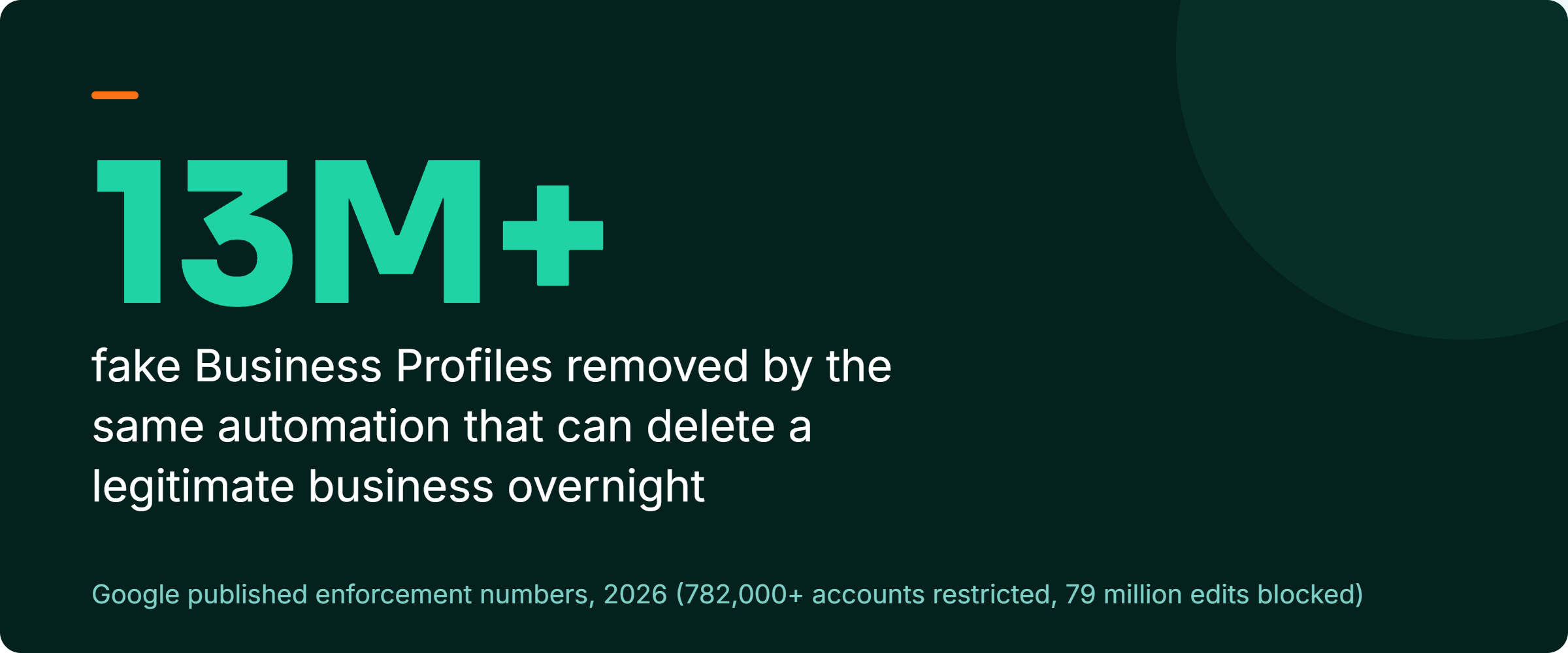
Google's system removed 13 million-plus fake Business Profiles and protects you from the competitor who spins up a fake listing two blocks from your shop. That same system can delete a legitimate business overnight with zero human review. When it hits you, the instinct to act fast is the thing that hurts you most. The winning play is boring and disciplined: do not touch the profile, gather your proof, file one reinstatement request, pass video verification cleanly, then wait out the window without poking it. This piece walks you through that playbook in order. Reinstatement is not guaranteed, and prevention beats cure here more than almost anywhere else in local search.
First, confirm it is a suspension and not a glitch
Panic wastes the first critical hours, and half the time the thing you are panicking about is not even a suspension. Google's profile display flickers. A listing can drop out of Maps for a few hours during an index refresh and come right back. Before you do anything, tell the difference between a display glitch and a real enforcement action, because your response to each is opposite. An address change looks similar from the outside, where the listing stays anchored to the neighborhood you left for weeks after Google says it is verified.
Sign into the Google account that manages the profile and look at the business dashboard directly, not the public Maps result. A real suspension shows you a status banner. It will say the profile is suspended, with a link to request reinstatement, which is Google's word for restoring a profile it took down. If you see that banner, it is real. If the dashboard looks normal but the listing is missing from public search, that points to a display issue or a soft filter. Leave the profile untouched and check again in a few hours.
There are two flavors of the real thing, and they matter for what you do next. A soft suspension means the listing is hidden from the public but you can still see and manage it inside your account. A hard suspension means the profile is removed entirely and disappears from your dashboard. Google ran two documented mass-suspension waves in 2026: a late-April wave that pulled thousands of listings overnight, and a May escalation that extended restrictions from individual profiles to entire Google accounts. That account-level enforcement belongs to the same category as the 782,000-plus accounts Google has restricted for policy violations. If your whole account got hit, you are appealing an account as well as a listing, and every service tied to that login is frozen with it. Google Ads accounts face a quieter account-level judgment, Limited Ad Serving, which cuts ad reach without a suspension.
Automation flags clean businesses for routine edits
Most owners assume a suspension means they broke a rule they knew about. They did not. Google's enforcement leans hard on automation, and automation cannot tell the difference between a scammer and a legitimate locksmith who changed his business hours on the wrong afternoon. I have watched clean, decade-old businesses get pulled for edits that any reasonable person would call routine.
The trigger most owners never see coming is that a profile can be suspended long after it was verified. Many owners believe verification is a finish line, that once Google confirmed the business it is settled. It is not. Even a minor edit to verified information, a tweaked name, a new suite number, a swapped phone line, can kick off an automated review that ends in suspension. That is the same mechanism behind Google blocking 79 million inaccurate or unverified edits, and it does not pause to ask whether your particular edit was honest.
I wrote the full background on why this keeps catching clean operators in Google's 2026 cleanup flagging honest local businesses. If you want to understand the machine before you fight it, read that first. For today, hold one idea: the flag came from automation, not a moral judgment. Your job is to hand Google clean evidence, not to argue.
The recovery steps, in order, and what you must not touch
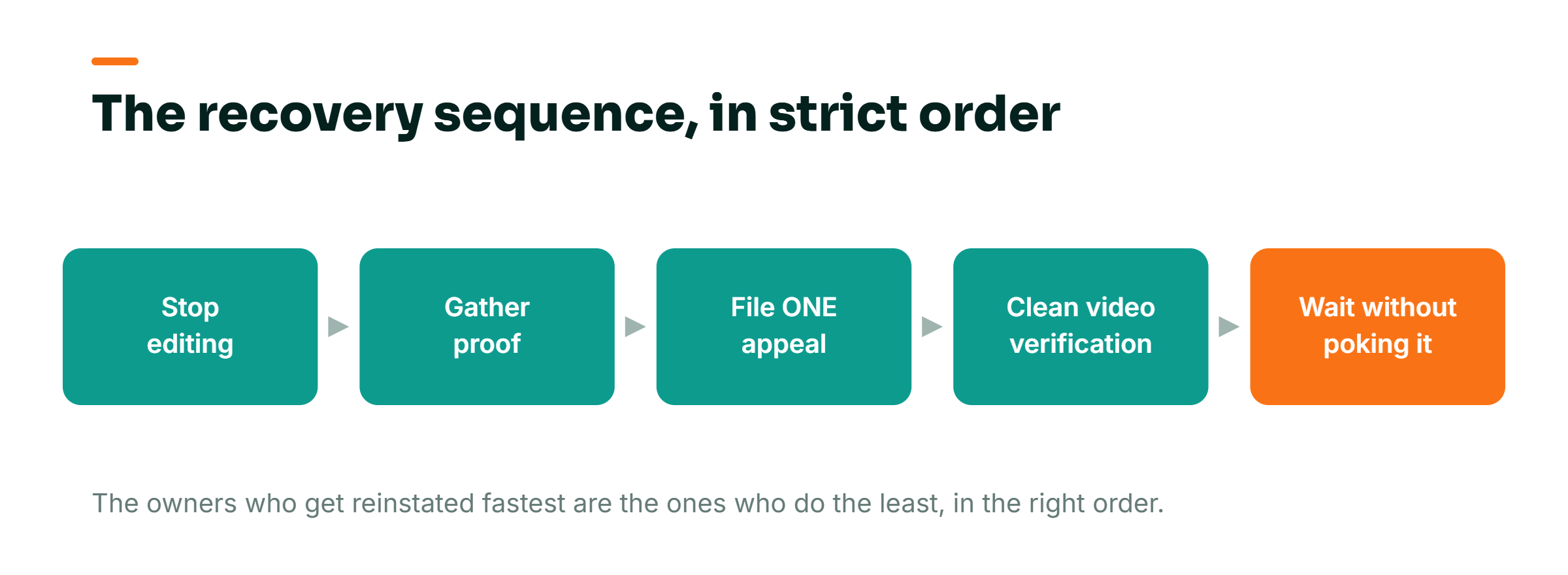
Discipline wins this. The owners who get reinstated fastest are the ones who do the least, in the right sequence, and resist every urge to fiddle. Work these five steps in order.
Free download
The Google Profile Reinstatement Checklist
The five recovery steps and the prevention list, printable, so that you fix this once and never come back.
- The five recovery steps in strict order
- The exact proof documents to gather before you appeal
- The prevention list that beats every appeal
Step one, stop editing. The single most common self-inflicted wound is opening the suspended profile and changing things to "fix" it. More edits to a profile under review look like more suspicious activity to the system that flagged you. Do not change the name, the address, the phone, the categories, or the hours. Do not add photos. Freeze it exactly as it is.
Step two, read the guideline you might have crossed and gather proof. Before you appeal, pull together documentation that proves the business is real and located where you say it is. Think a utility bill or lease in the business name at the listed address, your business license or registration, and clear photos of exterior signage. This is the evidence that wins the case. Assemble it before you file, not after Google asks.
Step three, file exactly one reinstatement request. Not three. Not one a day until someone answers. Filing multiple overlapping appeals splits your case across reviewers and slows everything down. Use Google's reinstatement form, state plainly that you believe the suspension was in error, and attach the documentation from step two. One clean, complete request beats ten frantic ones.
Step four, complete video verification cleanly if Google asks. Video verification is Google's way of confirming you are really at the business. You record a short live walkthrough on your phone, showing your signage, your equipment or stock, the neighborhood outside, and proof you can access back-office areas a customer could not. Do it in one unbroken take, in daylight, at the actual location, and show the specific things the prompt asks for. This step trips up legitimate owners who film from home or rush it, and a failed verification sets you back to the start of the line.
Step five, wait without poking it. Once the request is in and verification is done, stop. Do not open new threads, do not edit the profile, do not refile. Every extra touch resets the reviewer's context. If you have an agency managing this, ask them: "Have you filed one reinstatement request and completed video verification, and are we now waiting, or are you still making changes?" If the answer is that they are still editing the profile, stop them today.
Rachael Doukas, founder and CEO of Reinstate Labs, put the emotional weight of this plainly in the firm's July 2026 statement on the suspension surge.
Businesses have been impacted greatly by suspensions. When you speak with clients on the phone, you can hear the emotional distress, and we feel real empathy for what they are going through.
Rachael Doukas, Founder and CEO of Reinstate Labs, July 2026
That distress is the enemy of a clean appeal. It is what makes an owner edit, refile, and open threads. The discipline is hard precisely because the situation is scary.
How long it really takes, and the reviews wrinkle nobody warns you about
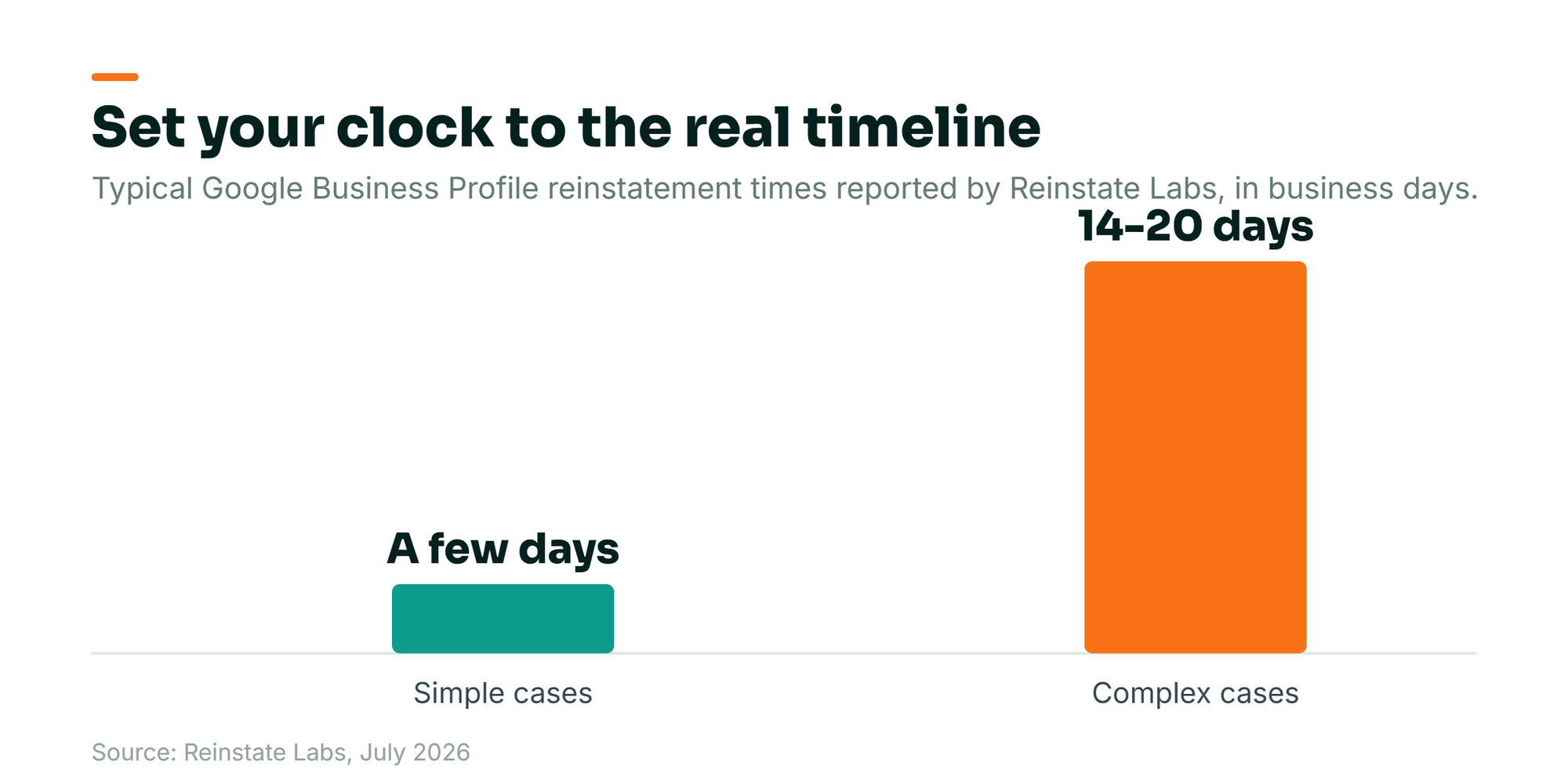
Set your expectations to Google's actual clock, not the one in your head. Reinstate Labs reports that simple cases can resolve in a few days, while complex ones run 14 to 20 business days. Read "business days" carefully. Twenty business days is a full calendar month once you count weekends. For a service business that lives on Google calls, a month of invisibility is real lost revenue, the kind I unpack in ranking fine but the phone stopped ringing. The point of the discipline above is to end up in the "few days" bucket instead of the "twenty business days" one. Every avoidable edit or duplicate appeal pushes you toward the slow lane.
Doukas is direct that staying in the process is the whole game.
Our message to business owners is to stay in the process. Google has built a support structure for these situations, and working through it with the Google team is how profiles get resolved. It can test your patience, but the process does work.
Rachael Doukas, Founder and CEO of Reinstate Labs, July 2026
When your profile comes back, your reviews may not all come back with it. Google's own support documentation acknowledges that reviews can be removed after a reinstatement and advises contacting support to have them looked at. Picture a dental clinic with 180 reviews that gets reinstated after a suspension and finds a chunk of them simply missing. That is not a bug you edit your way out of, and it feeds a bigger pattern I have written about in Google reviews vanishing overnight. If it happens to you, do not re-solicit those customers in a panic. Document which reviews are gone, contact Google support with the list, and give it time, because the same rule holds: one clean request beats a flood.
How to avoid a suspension in the first place
Appeals are the emergency room. What you actually want is to never end up there, and prevention here is cheaper, faster, and more reliable than any reinstatement. Reinstate Labs' guidance and my own experience across 300-plus businesses point to the same short list.
Review Google's Business Profile guidelines a couple of times a year, because they change and a rule you followed in 2024 may read differently now. Keep your NAP consistent. NAP is your business name, address, and phone number, and it should read identically on the profile and on every citation across the web: your website, your directory listings, your social pages. When those disagree, Google's automation sees conflict, and conflict invites review. Keep your proof of legitimacy filed and current, the lease, the license, the signage photos, so that if you are ever flagged you can appeal the same afternoon instead of scrambling for a week. And avoid unnecessary edits to verified information, because the edit you did not need to make is the one most likely to trigger the automated review that takes you down.
There is a strategic reason to protect the profile beyond avoiding downtime. A suspension does not just hide you, it wipes out the ranking momentum you spent months building, and that momentum is increasingly what wins the shrinking top of local results. Losing it means starting the climb again from behind competitors who never went dark.
Frequently Asked Questions
How do I know if my Google Business Profile is actually suspended?
Sign into the Google account that manages the profile and check the business dashboard directly, not the public Maps listing. A real suspension shows a status banner telling you the profile is suspended, with a link to request reinstatement. If the dashboard looks normal but the listing is just missing from public search, it is more likely a temporary display glitch. Leave everything as it is and check again in a few hours.
How long does Google Business Profile reinstatement take?
According to Reinstate Labs, simple cases can be resolved in a few days, while complex ones take 14 to 20 business days, which is close to a full calendar month once weekends are counted. The best way to get into the fast bucket is to file one clean reinstatement request with proof of legitimacy attached, complete video verification correctly, and then stop touching the profile. Every extra edit or duplicate appeal pushes your case into the slow lane.
Will I lose my reviews after my profile is reinstated?
Sometimes, yes. Google's own support documentation acknowledges that reviews can be removed after a reinstatement and advises contacting support if that happens. If you notice reviews missing once your profile returns, do not rush to re-solicit customers. Document exactly which reviews disappeared, contact Google support with that list, and give the process time to work.
The hardest thing about a suspension is that waiting feels idle, when in fact restraint is the work. File once, verify cleanly, wait. If you want a second set of eyes on your profile before Google's automation gives you a reason to worry, book a call with me and we will walk through it together. The same offer stands if you are already fighting a suspension. If your entire local presence can vanish on a Tuesday with no warning and no phone call, how much of your business have you rented from a landlord you have never met?