How to Check If AI Is Actually Recommending Your Business

You keep wondering whether the AI assistants are sending you customers or quietly handing them to your competitors. You asked ChatGPT about your business once, got an answer you could not quite read, and walked away none the wiser. You can audit this yourself over three sessions on different days and come away knowing where you stand.
I am going to give you the procedure I use. It is a notebook, four AI assistants and a little discipline: ten questions, asked in ChatGPT, Gemini, Perplexity and Google AI Mode, three times on different days. My paid audit uses the same method. It turns a vague worry into a real number you can act on.
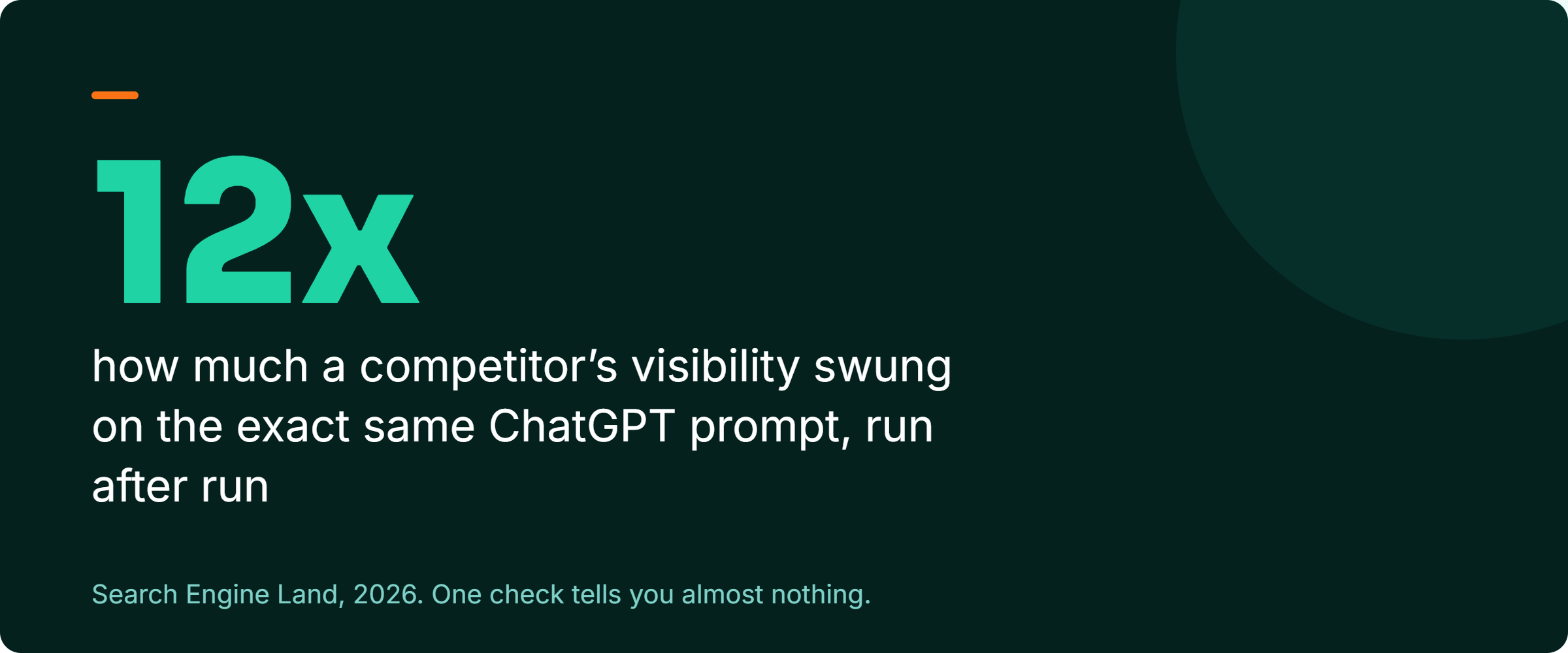
Do not judge any of this off a single search, because AI answers are not stable. In late January 2026, Rand Fishkin of SparkToro, working with Gumshoe.ai, had 600 volunteers run 12 prompts through ChatGPT, Claude and Google AI a combined 2,961 times. Two responses had less than a 1 in 100 chance of returning the same list of brands. The chance of the same list in the same order was less than 1 in 1,000. Fishkin describes the work as not peer-reviewed, and I read it as a large field test. The callout below comes from a second test, where one competitor's share swung twelvefold on the same prompt. One screenshot is not data. It is a coin flip you happened to watch once.
Step 1. Write down the questions that actually lead to hiring
Do not start with your brand name. Start with the questions a customer asks when they are ready to buy and do not know you yet. Write down ten of them, the real ones, in plain language. Things like "best roofer in your town," "who to call for a leaking roof," "affordable roof replacement near me." These are the moments where being recommended turns into a phone call.
Step 2. Run every question across the main assistants
Ask each question in the four places your customers actually go: ChatGPT, Gemini, Perplexity and Google's AI Mode. Use a private or logged-out window each time, because your past chats can steer the answer. All four matter. They pull from different sources and disagree more than you would think. BrightEdge found ChatGPT and Gemini agreed on only about two of their top five recommended brands for the same query (BrightEdge, 2026). You can be a star in one and invisible in another. Keep each engine's results separate, because a blended score hides the engine where you are missing.
Step 3. Log every answer in one sheet
For each question in each engine, write down whether you were named and whether the answer linked to your site. Note what it said about you and whether that was right, then who it recommended instead of you or alongside you. The last column is the most useful one. Your competitors' names show you who the AI currently trusts more than you.
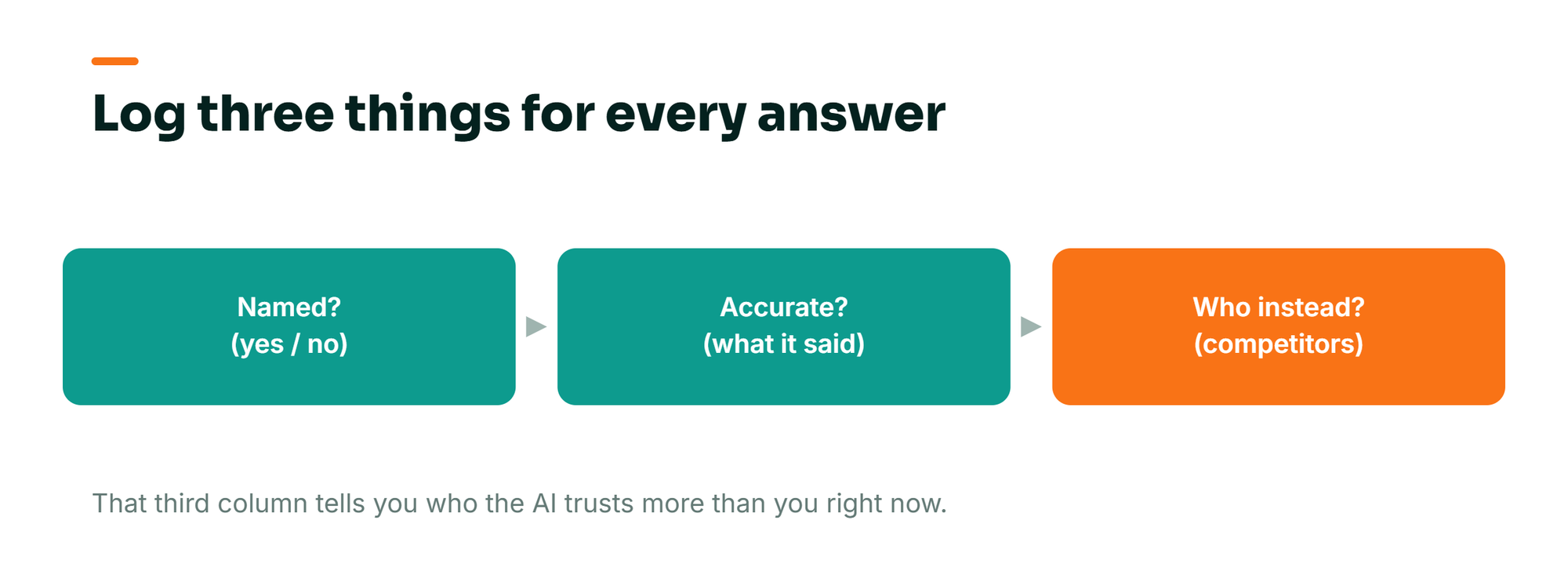
The diagram shows the three columns that matter most. The sheet below adds the question, the engine, the run date and whether the answer linked to you. Each answer gets its own row, and ten questions across four engines and three runs make 120 rows.
| Logging sheet column | What to write |
|---|---|
| Question | The exact wording, identical on every run. |
| Engine | ChatGPT, Gemini, Perplexity or Google AI Mode. |
| Run date | The day you asked. Three different days per question. |
| Named | Yes or no. |
| Linked | Yes or no, and which page it linked to. |
| What it said | How the answer described your business, and whether it was right. |
| Named instead | Every other business in the answer. |
Step 4. Run it again on a different day
Answers shift, and one pass is a snapshot. A business can be named on Monday and vanish on Wednesday with no change on its end. Run the full set of questions three times, on three different days. Then judge each question as always, sometimes or never across those runs. Being named once in three runs is a very different business from being named three times out of three.
Step 5. Turn it into one honest number
Now count. Take the number of answers that named you and divide it by the number of answers you logged. That is your hit rate, and it is the most honest measure of AI visibility a business owner can take. Sixty named answers out of 120 is a 50 percent hit rate. Six out of 120 is a wake-up call. Work it out per engine as well as in total. Count presence only, since your place in the list changes every time you ask. You now have a baseline you can improve and re-measure.
If you want to get a little sharper, separate out the questions where the customer asked the AI to recommend or compare providers. Those are the "who is the best" and "which should I choose" prompts. Your hit rate on those is the number that matters most. It is the difference between being mentioned in passing and being put on the shortlist. The marketing world has started calling this your share of recommendations, and it maps to what you are worried about: whether the AI actually puts you forward.
Can you rank in ChatGPT? Count how often it names you
In the SparkToro research from the top of this post, one hospital, City of Hope, shows why position is the wrong thing to track.
For your own business the number to count is the same one: how often you are named across many asks. That run-to-run randomness is a separate force from the bigger swings when a model gets updated, which I covered in how AI visibility swings when models update.
If you want to rank in ChatGPT, the part you can measure and raise is the share of answers that name you. The engines name the businesses they can verify from sources the business does not own: reviews, listings, roundups, press and one consistent name. The pattern in your log shows which of those you are missing.
Step 6. Read the pattern to find what to fix
The shape of your results tells you the problem. If you are never named anywhere, that is a findability and eligibility issue, you are simply not in the running. If you are named but the information is wrong, that is a data and content problem, and it usually traces back to inconsistent business details across the web. If a handful of the same competitors get recommended every time and you do not, that is a trust and authority gap. Each pattern points at a different fix, and I laid out which layer to fix first in why your AI visibility work is not moving the needle. For the bigger picture of how the whole system fits together, my complete guide to AI search visibility is the map.
A follow-up question with your business name can expose the named-but-wrong pattern. When I asked ChatGPT about a junk removal client by name, it stopped to ask which of the several companies operating under that name in different states I meant. Beyond the client's own site, no source told it which one was real. That is an entity problem. The fix is one consistent name, address and description everywhere you are listed.
My own tracker shows the trust gap clearly. In July I ran ten category questions about a real estate client in Virginia through Claude, three times each. The client, a well-built site with the right pages, was named in none of the 30 answers. The same three regional brokerages were named every time, the ones with the deepest record of reviews, listings and local press. That was one engine on one day. The check on this page runs the same kind of questions through ChatGPT, Gemini, Perplexity and Google AI Mode, on three different days.
Say you own a roofing company. You run this check and find you are named in 2 of 120 answers, both on Perplexity, never on ChatGPT or Gemini, and the same two competitors come up almost every time. Twenty minutes with your own spreadsheet tells you more than a year of guessing would. You have a trust gap against two specific competitors, a near-total absence on the two biggest assistants, and a clear place to start. That is what the check buys you: direction instead of dread.
Across about 17 years in search and more than 300 businesses, almost nobody does this. They worry about AI visibility constantly and measure it never. The owners who actually pull ahead are the ones who turned the worry into a number, watched that number, and worked on it. You cannot improve a feeling. You can improve a hit rate.
If you would rather not do it all by hand
The notebook method is free and it teaches you the most. For a faster first read, my free AI visibility checker has you mark your own business against nine signals, and it tells you which one to fix first. The checker predicts where you stand, and the live check above measures it. To hand the whole job over, my $150 AI visibility audit runs your ten questions through all four engines three times and lists every business named instead of you.
Ahrefs also has a free AI visibility checker that needs no signup, and Semrush offers a free AI visibility audit. For a local service business, BrightLocal tracks how you show up in Google's AI answers and ChatGPT specifically. Use one for a baseline, then run the by-hand version on your money questions. Reading the actual answers and competitor names is where the insight comes from.
One caution if you lean on a tool. When your score suddenly drops, do not panic before you check the cause. In late 2025, a number of these dashboards plunged overnight, not because those businesses lost relevance, but because ChatGPT changed how it displayed citations (Search Engine Land, 2026). Treat any single tool as a trend line, not gospel, and confirm a drop against your own checks before you act on it.
Be just as careful with any dashboard that reports your rank in AI answers. That rank changes the next time you ask, and a count of real answers across many asks is the number that holds still. Rand Fishkin's verdict on rank dashboards is blunt: "any tool that gives a 'ranking position in AI' is full of baloney."
Frequently Asked Questions
How do I know if ChatGPT recommends my business?
Do not rely on a single question. Write down the ten buying questions your customers actually ask. Ask each one in ChatGPT in a private window on three different days, and log whether you were named, whether it linked to you and who it named instead. The share of answers that name you is your real answer. One screenshot tells you very little: in SparkToro's test with Gumshoe.ai, two responses had less than a 1 in 100 chance of naming the same list of brands.
What should I track when I audit my AI visibility?
Log whether you were named, whether the answer linked to you, what it said about you, and which competitors got recommended in your place. Do it for ten questions across ChatGPT, Gemini, Perplexity and Google AI Mode, three times on different days. Then turn it into a hit rate per engine. The competitor column is the most useful, because it shows you who the AI trusts more than you right now.
How often should I run an AI visibility audit?
Monthly, with the same ten questions, the same four engines and three runs, logged per engine. Re-check after any meaningful change to see whether it moved the number. The record that gets you named builds over months, and a monthly rate is how you watch it build. Checking daily mostly shows you random swings.
If you would rather hand this over, the $150 AI visibility audit runs it for you. If you have run it yourself and want help reading the results, book a free AI visibility call and we will go through your real numbers and the first fix to make.
If you want a quick read before you run the audit, the free AI visibility checker scores the nine signals the engines look for in two minutes.